Skanda Sriganesh All work

Lock & Unlock

Locking a debit card is one of the most emotionally charged actions in the app. I reimagined a security-critical flow used 75,000 times a day to feel calmer and more trustworthy, and cut it from five taps to three.

Animated walkthrough of the redesigned lock and unlock flow.
The redesigned flow, in motion
01

The problem

Customers arrive stressed. Locking or unlocking happens in urgent moments, suspected fraud, a misplaced card, and people want one thing: to know their money is safe. The old flow felt dated, feedback was heavy-handed, and success and exit actions were over-emphasized, adding cognitive load exactly when clarity mattered most.

The experience had fallen behind. Built years earlier, it no longer matched the design system or our Experience Modernization (xMod) standards. In a high-frequency, trust-critical interaction, that inconsistency was a business risk, eroding confidence and driving avoidable support calls.

Confusion in a security-critical moment is the one thing this flow could not afford.

02

Competitive analysis

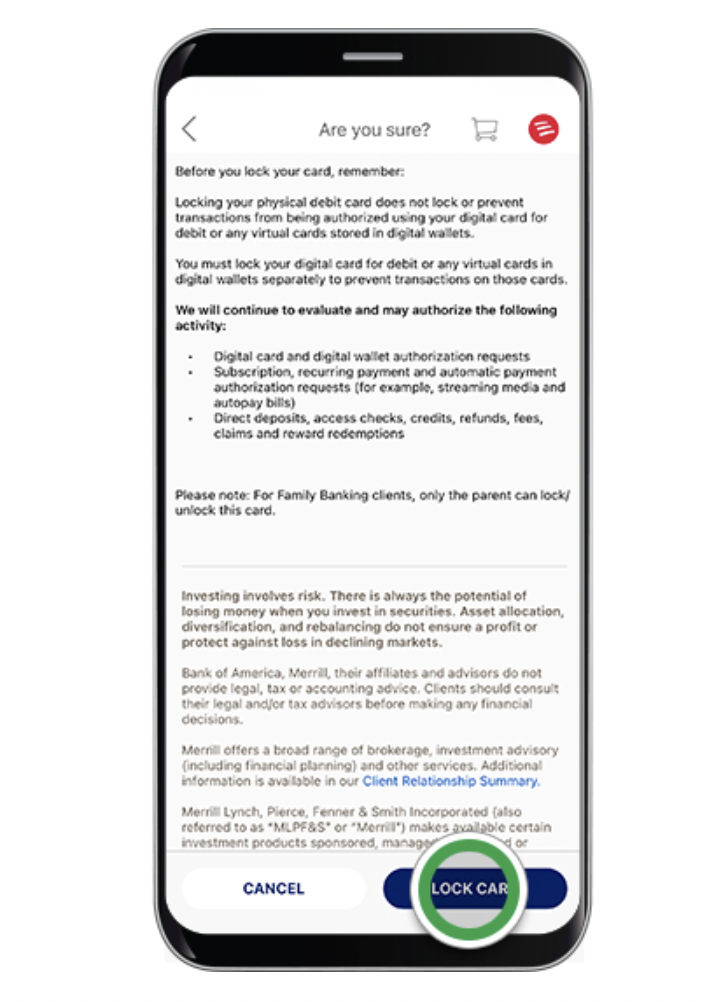
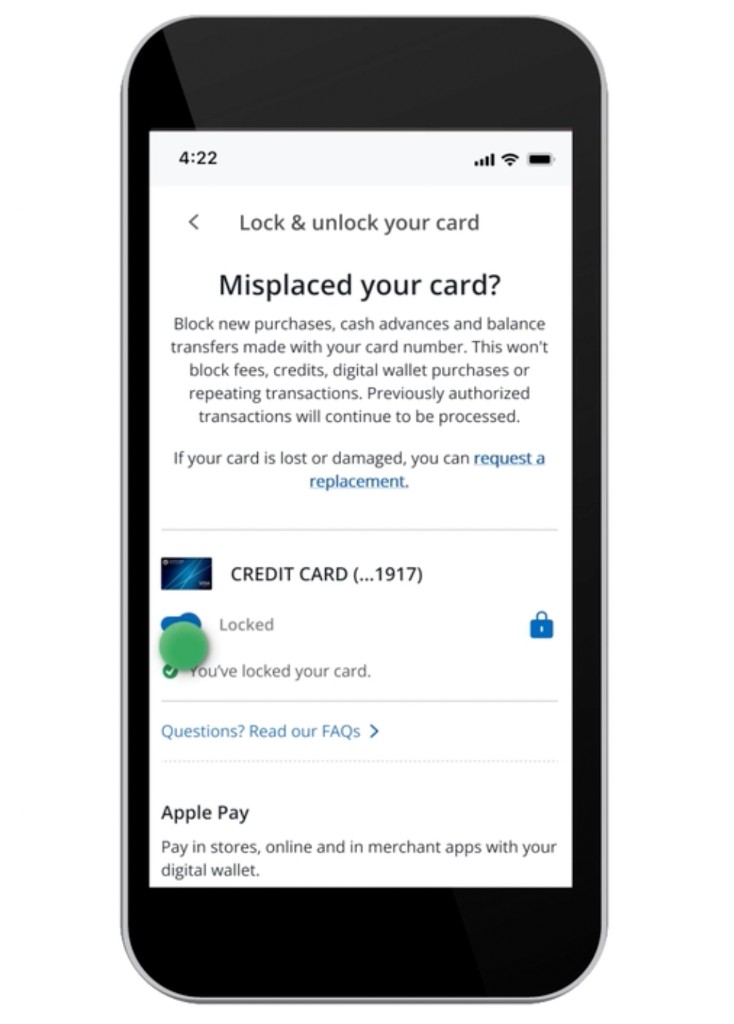
Looking at other lock and unlock experiences made the opportunity clearer. The flows were doing a lot at once: dense legal copy, multiple moving parts, unclear hierarchy and long blocks of unformatted text.

Bank of America lock card confirmation screen with dense explanatory text and a prominent lock card button.
Chase lock and unlock card screen showing lock status, supporting text, and Apple Pay information.

The takeaway was not to add more explanation. It reinforced the opposite direction: clean up the content, reduce visual competition, and make the lock control the clear center of the experience.

03

Before and after

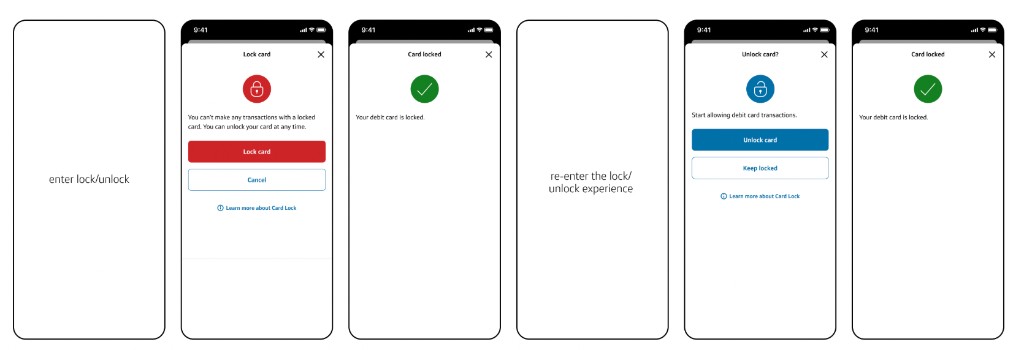
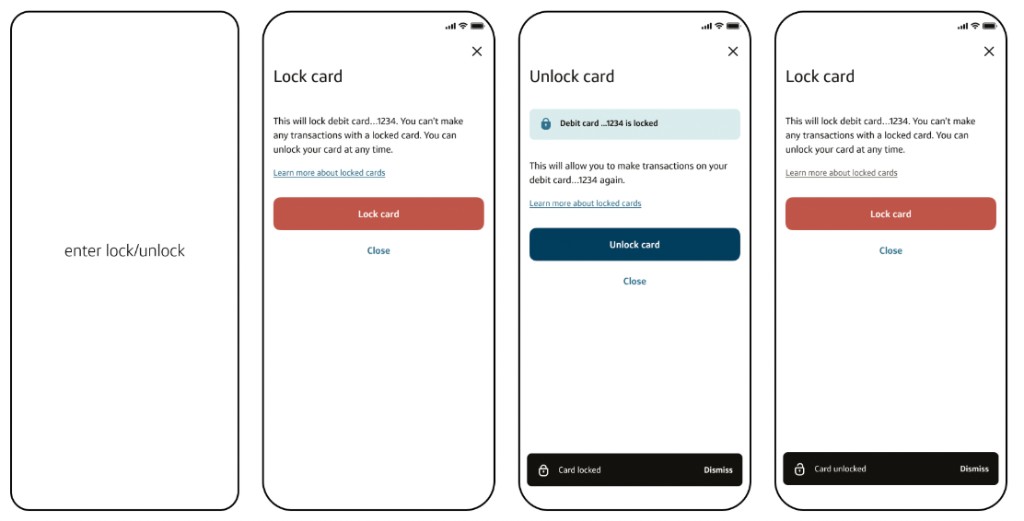
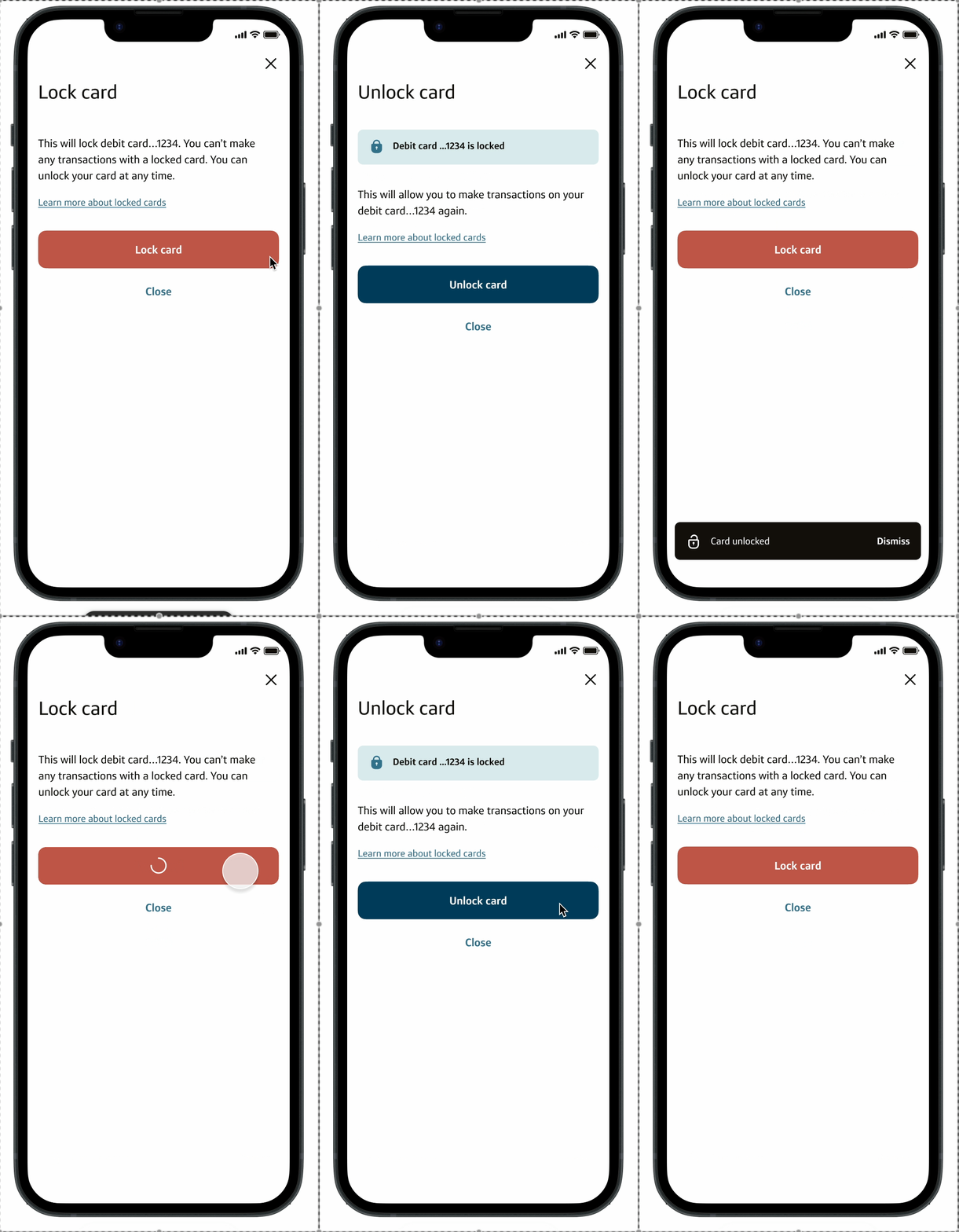
The old path split the task across more screens and forced customers back through the entry point. The redesign keeps the same job in one clearer loop.

Before
Before flow showing six screens for entering, locking, success confirmation, re-entering, unlocking, and returning to card locked state.
After
After flow showing a four-screen lock and unlock flow with toast confirmations and fewer steps.
04

What I did

Modernization couldn't stop at a fresh coat of paint. I aligned the flow to xMod standards, then reduced friction through deliberate interaction and content decisions.

01

Applied the visual standards

Updated color, type and spacing, reduced iconography, and removed legacy visuals to bring the feature back in line with the system.

02

Toast over takeover

Replaced full-screen success confirmations with toast notifications, so customers get immediate feedback without losing momentum.

03

Right-sized the exit

The screen already had a clear “X.” I demoted the prominent “Cancel” to a quiet tertiary “Close,” matching emphasis to intent.

04

Trimmed the explanation

Cut “Learn more” down to what customers actually need in the moment, and removed credit-card legal language that never applied to debit.

05

One toggle, not a round trip

Turned lock and unlock into a single toggle instead of exit-and-reenter, taking the task from five taps to three.

05

Content, rewritten

System-heavy language was rewritten to feel direct and human, naming the card and telling customers exactly what happens next.

Before
Locked

You can't make any transaction with a locked card. You can unlock your card at any time.

Unlocked

Start allowing debit transactions.

After
Locked

This will lock your debit card …1234. You can't make any transaction with a locked card. You can unlock it at any time.

Unlocked

This will let you make transactions on your debit card …1234 again.
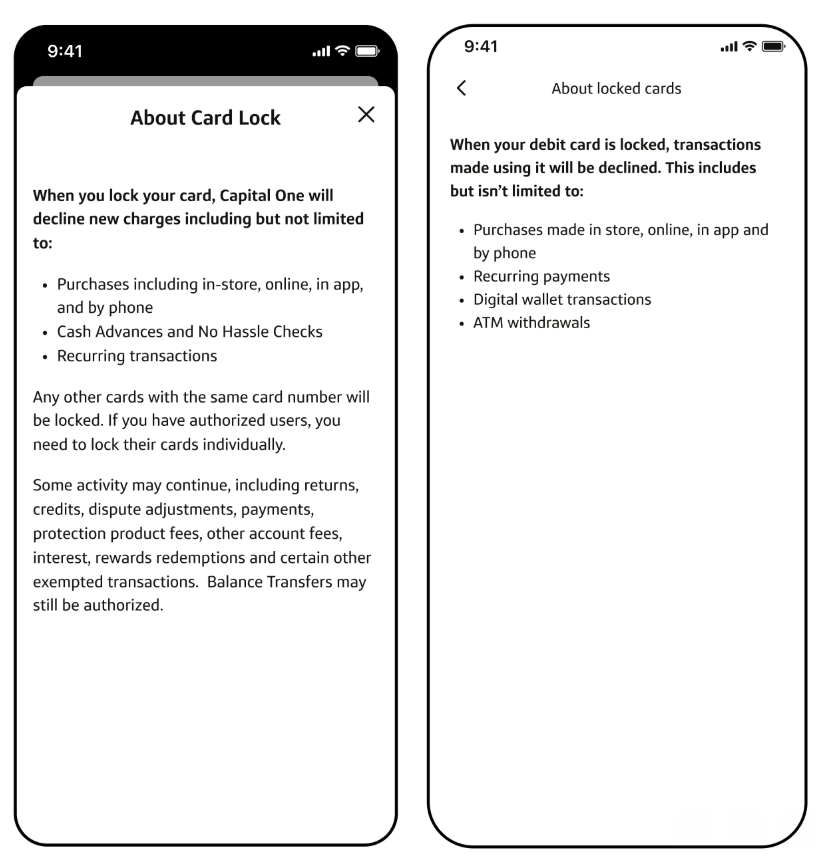
Essential info only
Before and after comparison of About Card Lock content, showing a dense modal reduced to essential locked-card information.
Cleaning up the Learn more content meant keeping only what customers needed in the moment.
Edge cases
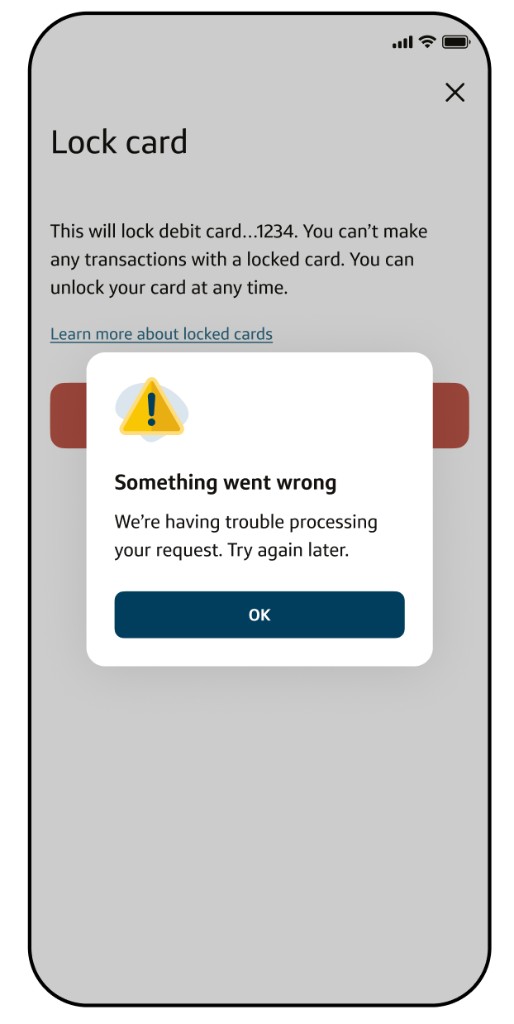
Lock card screen dimmed behind an error modal that says something went wrong when the request cannot be processed.
The flow also had to account for failure states, including API errors when a lock request cannot be processed.
06

Design decisions

The refresh was the easy part. The judgment showed up in the details.

A

Legal is content, too

Much of the legal copy was inherited from credit and irrelevant to debit. Treating it as part of the experience served customers and compliance at once.

B

Hierarchy follows intent

Emphasis should match why customers came. Exits got quieter, the primary action got clearer, and the screen stopped competing with itself.

C

Design for the habit

Research showed some customers lock and unlock to manage spending, so the toggle rewards repeat use instead of punishing it.

07

The impact

A calmer, clearer flow that reinforces trust without adding a single step, now live and evolving in production.

75K/day
Times customers lock or unlock a debit card.
5 → 3
Taps to lock, unlock and relock, via a single toggle.
Live
In production and aligned to xMod, ready to scale with future updates.
In short

Intentional design lives in the details.

Happy to walk through the before and after screens and the decisions behind them.

Let's chat